

Poly Now Makes Presentations: Meet Mosaic 1.1
Most people's relationship with slide software follows a predictable pattern. You know exactly what you want to say. You open PowerPoint or Canva. An hour later you've adjusted font sizes, agonized over alignment, and picked four shades of blue that all look the same. You've written maybe three slides of actual content.
Poly just fixed that.
We've added presentation generation to Poly, powered by Mosaic 1.1, our in-house model built specifically for slides. Describe your topic, your audience, your goal, and get a complete, structured, editable deck. No design software. No formatting rabbit holes. No copying your research notes into a blank template and starting from scratch.
Why We Built Mosaic Instead of Using Existing Models
When we started working on presentations, the obvious move was to route the request through one of the frontier models already on the platform, Claude, GPT-5.2, Gemini. They're good at a lot of things.
Slides are not one of them.
General-purpose models are trained to generate text. A good slide deck isn't text, it's structured communication designed to be spoken out loud, one idea at a time, to a specific audience. The problems show up immediately: too much copy on each slide, weak hierarchy, no clear visual logic, conclusions buried in bullet three of slide seven.
Mosaic 1.1 is built for this specific job. It understands slide structure the way a model trained on documents understands formatting. It knows the difference between a slide that informs and a slide that lands. It builds decks designed to be presented, not just read.
You don't pick a model for presentations on Poly. Mosaic handles it, and that's intentional.
What Mosaic 1.1 Actually Produces
"Generate a presentation" means different things to different tools. Here's what you actually get with Mosaic.
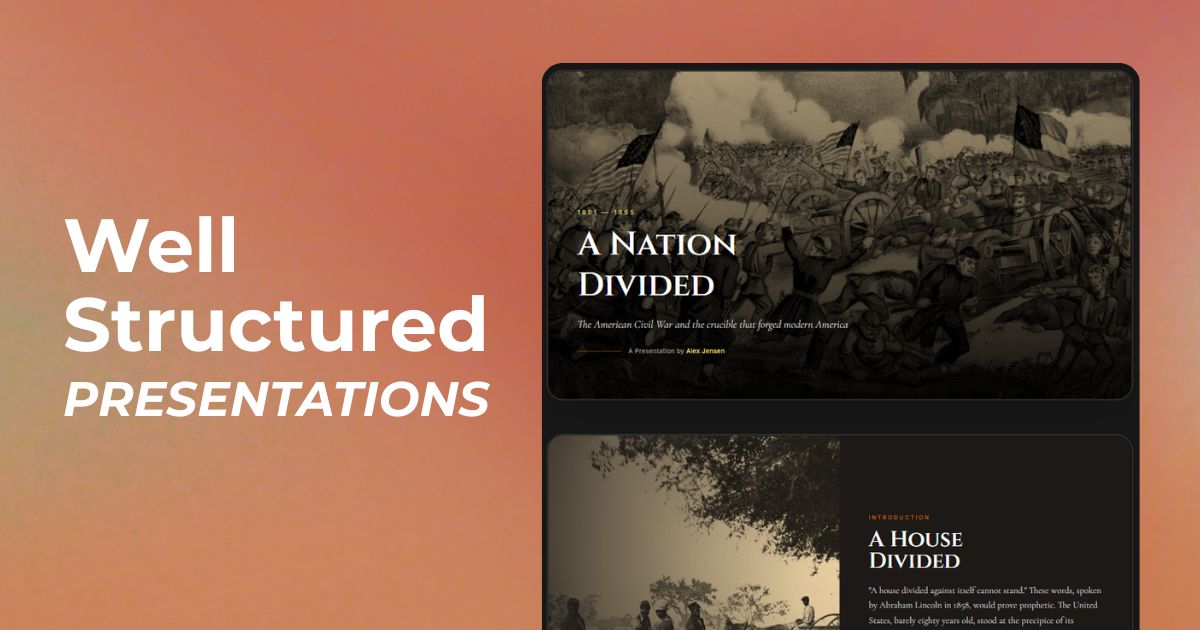
A logical structure from the start. Not a pile of bullets dumped onto slides. Mosaic builds a proper narrative arc, title slide, agenda, content sections with clear hierarchy, a conclusion, and next steps where relevant. The flow makes sense before you've edited a single thing.
Content that reflects your actual material. Because Mosaic pulls from your Poly conversation, the slides reference your specific research, your examples, your framing, not generic filler. The output is about your topic, not a topic adjacent to yours.
An output you can iterate on. The deck renders directly in your Poly workspace. Refine any slide through follow-up prompts. Ask Mosaic to expand a section, tighten a slide, rework the conclusion, or cut the whole thing down to five slides for a tight meeting. The conversation doesn't end when the first draft appears.
Three Ways to Use It
Start from a prompt
The simplest entry point. Describe what you need:
"Create a 10-slide investor pitch for a B2B SaaS product targeting mid-market HR teams. Lead with the problem, follow with market size, product, traction, and ask."
Mosaic builds the full deck. You review, refine, move on.
This works well when you know your structure ahead of time, investor pitches, client proposals, quarterly business reviews. Formats that are fairly standard and benefit from a clean first draft to react to.
Build from a conversation you've already had
This is where Poly pulls ahead of every standalone slide tool on the market.
Start with research. Use Poly to dig into a topic, compare options, analyze a dataset, synthesize findings across sources. Do the actual thinking first, that's what the platform is for. Then:
"Turn this into a presentation for my executive team. Keep it under 12 slides."
Mosaic uses the full conversation thread, every conclusion you've reached, every example you've discussed, the specific framing you landed on, and structures it into a deck. The research doesn't get thrown away. It becomes the content.
This is something no standalone AI presentation tool can do. They all start from zero. Mosaic starts from where you actually are.
Iterate until it's right
The first version is a starting point. Use follow-up prompts to:
- Shorten or expand specific slides
- Adjust the tone, more executive, more technical, more casual
- Add a competitive comparison you forgot to include
- Rewrite the conclusion with a stronger call to action
- Restructure the whole thing around a different narrative angle
You're working with the deck the same way you'd work with any other output in Poly, through conversation. No switching to a separate editing interface. No export-edit-reimport loop.
Who This Is Actually For
Consultants and analysts who produce client-facing deliverables regularly and are tired of losing hours to PowerPoint. Do the analysis in Poly, let Mosaic build the deck.
Founders and startup teams who need to move fast on investor pitches, board updates, and partner decks without a dedicated design resource. Describe the company, the traction, the ask, Mosaic handles the structure.
Educators and trainers building course materials, workshop outlines, or lecture structures. Focus on content. Let Mosaic handle the slide logic.
Marketers turning competitive research, campaign results, or market analysis into presentations for stakeholders who won't read a doc.
Product managers and developers who need to communicate technical decisions or roadmap priorities to non-technical audiences. Mosaic knows how to translate depth into clarity.
If your work regularly ends with "I need to turn this into a presentation," Mosaic 1.1 was built for you.

How This Fits the Poly Workflow
Presentations don't exist in isolation. They're usually the endpoint of a process that starts somewhere else, a research session, a planning conversation, a competitive analysis, a brainstorm that finally landed somewhere useful.
Before Mosaic, that process happened in Poly (or across a dozen browser tabs), and the presentation happened in a completely separate tool. You'd copy your notes into PowerPoint, manually restructure your analysis into slides, and lose hours to formatting. The thinking and the output lived in different places.
The new flow keeps everything in one place:
- Research, Use web search and frontier models to gather current information and build your factual foundation
- Analyze, Synthesize findings, draw conclusions, work out your argument
- Present, Hand it to Mosaic and get the deck
Same workspace. No context switching. No copying between tools.
Pricing
Presentation generation with Mosaic 1.1 is included in the Poly Plus plan at $15/month, alongside 80+ AI models, image generation, web search, diagrams, app previews, and charts.
For comparison: ChatGPT Plus ($20/month) plus a dedicated presentation tool like Gamma or Beautiful.ai on top runs you $40-50/month for a fragmented workflow. Poly Plus gives you everything in one place for $15.
The Bottom Line
Mosaic 1.1 isn't a general-purpose model with a slide prompt bolted on. It's purpose-built for presentations, trained to understand structure, hierarchy, and the specific way information needs to land when someone's standing in front of a room.
The result is decks that make sense out of the box, built from the context of work you've already done, refined through the same conversational interface you're already using for everything else on Poly.
You do the thinking. Mosaic handles the slides.